How do I add a student from the Cashier Panel in Vawsum?
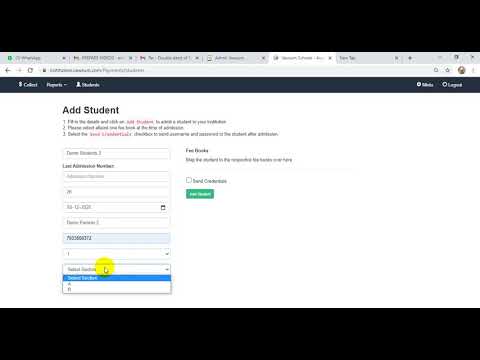
Students are added from the cashier panel at institution.vawsum.com. Go to Schools, then Fees, then Collect, and sign in to the admin portal. Fill in the student’s name, admission number, roll number, date of birth, parent’s name, phone number, class and section, tick the school fee book to map it, then click Add Student.
Steps to add a student from the Cashier Panel
- Sign in to institution.vawsum.com using your credentials.
- Click on the Schools option appearing at the top bar of your page.
- Click on the Fees option appearing as a dropdown menu for school.
- Click on the Collect option on the new page which appears.
- Now login with your credentials to access the admin portal to carry out the further task.
- A new page will open where you need to fill in details like Name of student, Admission number, Roll number, Date of birth, Parent’s name and Phone number, then finally choose class and section.
- Click on the checkbox next to School Fee Book, written along with the academic year, to map the fee book.
- Finally click the green Add Student button at the bottom to add the student through the cashier panel.
Watch the video to know more.